



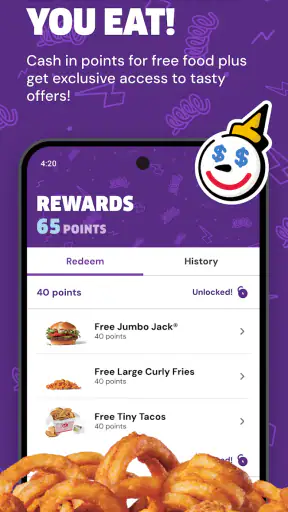
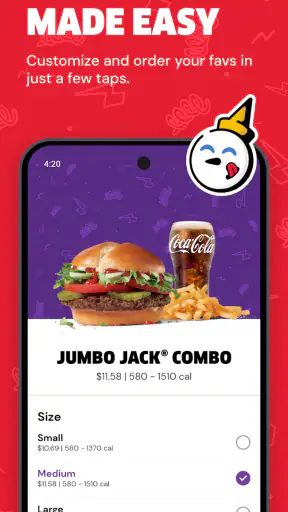
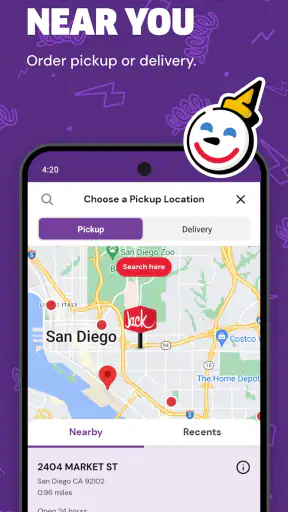
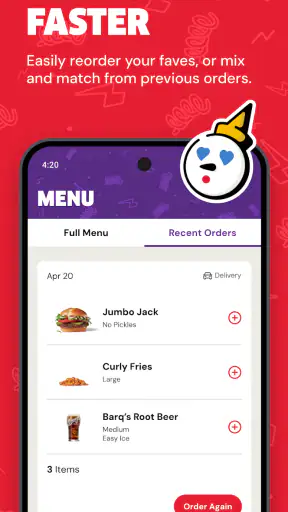

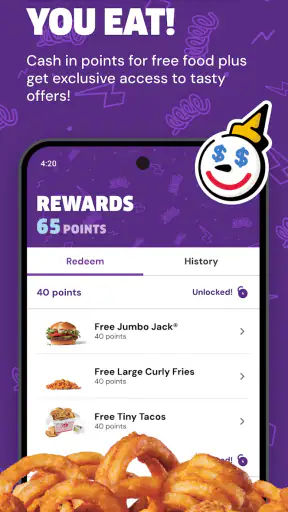
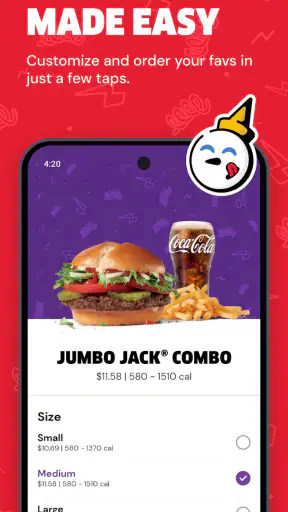
When I want Jack in the Box without standing in line, the most useful part of Jack in the Box® - Order Food is its direct ordering flow for pickup or delivery. That sounds simple, but it changes the whole visit: I can decide what I want before leaving home, review the order on a phone screen, and arrive with a clear plan instead of trying to choose while people wait behind me. I see this as a focused Food & Drink app rather than a general restaurant-discovery tool, and that focus is exactly why it can be handy for regular Jack in the Box customers.
The app is free, made by Jack in the Box Inc., and available to an Everyone audience. It has been around since October 3, 2017, and its current version is 2026.13. Its store presence is substantial, with more than five million installs, an average rating of 4.8 from roughly 115 thousand ratings, and about 22 thousand written reviews. Those figures suggest that it has become a familiar ordering channel, although popularity alone does not guarantee that every order will feel effortless.
Ordering before I reach the restaurant
The central capability is the option to arrange a meal for pickup or delivery from the app. In practice, I find pickup the more convincing use case. It turns the phone into a planning step: I can look through the available choices, make decisions away from the counter, and use the restaurant visit mainly to collect the food. Delivery is useful when I do not want to travel, but its value depends more heavily on location, timing, and the quality of the handoff than the app itself.
That distinction matters. A restaurant app can be valuable even when it does not offer an elaborate loyalty system or a wide range of unrelated services. Here, the benefit is reducing friction around a specific Jack in the Box order. If I already know the restaurant I want, opening this app is more direct than searching through a general delivery service, comparing several restaurants, and then navigating a third-party menu.
I also like that the app is not trying to make me discover an entire city of food. Its identity is clear: it is for people who have already chosen Jack in the Box or are considering it while hungry. That narrow purpose makes the experience easier to understand, but it also creates the first important limitation. If I am comparing restaurants, looking for independent local food, or trying to combine items from different places, a broader delivery app is usually a better fit.
What the ordering flow changes
Ordering ahead is especially helpful when I am buying for more than one person. A group order can become confusing when everyone is speaking at once, but using a phone gives me a quieter way to check the menu and confirm what each person wants. I can pause before submitting instead of making a rushed decision at the counter. That does not remove every possible mistake, but it gives me a better chance to catch an unwanted item, missing drink, or incorrect quantity before the order is sent.
My practical tip is to treat the app as a planning tool rather than something to open only after reaching the restaurant. If I start the order in the parking lot, I may still be distracted by traffic, a crowded entrance, or a hungry group waiting in the car. Preparing it earlier lets me read the selection more carefully and decide whether pickup or delivery actually makes sense for that occasion.
Another useful habit is separating menu browsing from final confirmation. I may add an item because it looks appealing and then realize that it does not suit the person I am ordering for. Reviewing the complete basket as its own step is more reliable than assuming that the last screen reflects what I intended. This is a small workflow improvement, but it is one of the main ways an ordering app earns its place on my phone.
Pickup is where the app feels most practical
For me, pickup provides the clearest payoff. I can place the order before leaving, travel to the selected restaurant, and avoid spending the entire visit deciding what to eat. This is particularly convenient during a short break, when I am bringing food back to other people, or when I want to avoid waiting in a busy lobby. The app does not make the meal itself faster, of course, but it can move the decision-making earlier.
There is also a useful psychological benefit. When I order in advance, I am less likely to change my mind because of a long line or because several menu choices are competing for my attention. That can be good when I have a specific meal in mind. On the other hand, it means I should not submit too quickly if I am still undecided. The convenience of a few taps can encourage an impulsive order, so I prefer to check the basket and location before committing.
Pickup is not automatically the best choice in every situation. If I am already passing the restaurant and the counter is empty, ordering in person may be just as easy. The app becomes more worthwhile when timing, group coordination, or avoiding a queue matters. That is a useful trade-off to understand: it saves planning effort, not necessarily every minute of the restaurant’s preparation time.
Delivery is convenient, but convenience has conditions
Delivery expands the app’s usefulness beyond the restaurant visit. I can order when I am working from home, caring for someone, or simply do not want to drive. It is also practical for a group that wants food without sending one person out. Still, I would choose it for comfort rather than absolute control. Pickup gives me a clearer connection to the restaurant; delivery adds another stage between the order and the meal.
For that reason, I would use delivery when staying home is the main priority, not when I need a tightly timed meal. If the food is for a meeting, a short break, or a specific arrival window, pickup may give me more control. If the priority is avoiding travel altogether, delivery is the more sensible option. The app makes both routes available, but the right choice depends on what I value that day.
I also recommend checking the order details calmly before placing a delivery order. A small error in the address or item selection is more annoying when the meal is already on its way. The app’s convenience is strongest when I combine it with a deliberate review, especially for family orders or meals with several custom choices.
A realistic everyday test
Imagine a weekday lunch when I have only a limited break and need food for two coworkers as well as myself. Instead of collecting everyone’s requests at the counter, I can open the app, browse the Jack in the Box menu, and build the order while the group is still deciding. I can use the basket as a checklist, confirm the quantities, and select pickup. Then I leave once, collect the food, and return with the order already organized.
The important advantage in that scenario is not simply speed. It is reduced coordination. I do not have to remember three separate conversations while trying to hear a cashier, and my coworkers do not need to stand in line while I resolve a missing choice. The app gives the group a shared reference point on one screen. For a single person ordering one familiar meal, the difference may be minor; for several people, it becomes much more noticeable.
A different scenario shows where the app is less compelling. Suppose I am walking past a Jack in the Box restaurant, have no preference about what to eat, and want to ask a question before ordering. In that case, the app may add a step rather than remove one. I would probably go inside, look at the menu, and speak to staff. The digital route is strongest when I already know the restaurant and want to prepare the transaction ahead of time.
Small workflow choices that improve the experience
I get better results when I decide the fulfillment method before I start filling the basket. Switching mentally between pickup and delivery while choosing food makes it easier to overlook the practical side of the order. Pickup is best when I am already traveling near the restaurant or need a predictable collection routine. Delivery is best when leaving home is the problem I am trying to solve.
For a group, I would collect requests first, including drinks and any dislikes, then enter them in one pass. This is less exciting than browsing spontaneously, but it reduces the chance of ordering from memory. I would also keep the final review focused on three things: the selected restaurant, the fulfillment choice, and the complete basket. These checks address the mistakes that matter most without turning a simple meal into a long administrative task.
When I am ordering for myself, I use the app differently. I browse for a familiar option, compare it with what I actually feel like eating, and stop once the choice is clear. The app is not at its best when I endlessly scroll looking for inspiration. Its strength is helping me complete a known restaurant order, so I try not to confuse convenience with a need to explore every possibility.
Where the experience can fall short
The biggest limitation is the app’s narrow scope. It is tied to Jack in the Box, so it cannot replace a service that lets me compare menus across many restaurants. Someone who wants vegetarian, regional, or budget comparisons across several chains will likely prefer a broader platform. This app makes sense when the restaurant decision is already made or nearly made.
There is also a difference between placing an order smoothly and receiving exactly the experience I imagined. Restaurant availability, preparation, and delivery conditions can affect the result. The app can organize the request, but it cannot personally inspect the bag or control the road between the restaurant and my door. That is why I see it as a useful ordering channel, not a guarantee that every meal will be flawless.
Another trade-off is attention. Ordering digitally feels quick, but a quick interface can make it easy to tap through without thinking. This matters when I am ordering for children, coworkers, or anyone with a particular preference. I would rather spend a few extra seconds checking the basket than discover an avoidable mistake after pickup.
People using older devices should also pay attention to compatibility. The app supports Android 7.1 and later, so it is not limited only to the newest phones, but anyone using an older operating system should confirm that their device meets that requirement before relying on it for an urgent meal. For most current Android users, this should not be a difficult hurdle, but it is worth considering when the phone is several years old.
How it compares with the usual alternatives
Compared with ordering at the counter, the app offers more privacy and preparation. I can decide without holding up a line, and I can coordinate a larger order more comfortably. In-person ordering still wins when I need immediate help, want to ask a staff member something, or have not decided what I want.
Compared with a general delivery service, the Jack in the Box app is more focused. I do not have to sift through unrelated restaurants when I already want this chain. That focus can make the route to a familiar meal feel cleaner. The general service wins when I want to compare delivery costs, restaurants, or cuisines in one place, or when I am trying to find an alternative because Jack in the Box is not what the group wants.
Compared with using a mobile browser, a dedicated app feels more natural for repeat orders because it is built around returning to the same restaurant experience. I would still use a browser if I were only checking something once or did not want another app installed. The decision comes down to frequency: regular customers gain more from keeping a dedicated ordering tool available than occasional visitors do.
Who will get the most from it?
I think this app is a strong match for regular Jack in the Box customers, busy households, commuters, and anyone who often orders for several people. It is especially useful when pickup is part of a routine: leaving work, collecting food on the way home, or arranging lunch for a small group. The free price also makes it easy to try without treating the app itself as a financial commitment.
It is less suitable for someone who rarely visits Jack in the Box, prefers face-to-face ordering, or wants one app for every restaurant. It may also be the wrong choice for people who need extensive restaurant comparison before deciding. In those cases, the narrower focus is not a benefit; it is the main restriction.
The Everyone content rating makes the app approachable for a broad audience, including families using it to arrange a meal together. I would still encourage an adult to review a group order before submitting it, not because the app is difficult, but because shared ordering naturally creates opportunities for accidental additions or omissions.
After using it as an ordering shortcut, my view is positive but specific: Jack in the Box® - Order Food is most valuable when the restaurant choice is already settled and the real problem is getting the order organized. Pickup is where I notice the clearest improvement, while delivery gives the app a useful at-home option with more variables attached. I would recommend it to regular customers who want to plan ahead, but not as a replacement for a broad food marketplace or a personal conversation with restaurant staff.
In the end, I would keep it for repeat Jack in the Box visits, particularly when I am ordering for a group or trying to avoid a line. Its best quality is not novelty; it is the practical removal of a small but familiar obstacle between deciding what to eat and collecting the meal.


